What is Computer Hardware And Software? Difference Between Computer Hardware And Software (Lession- 11)

hardware software

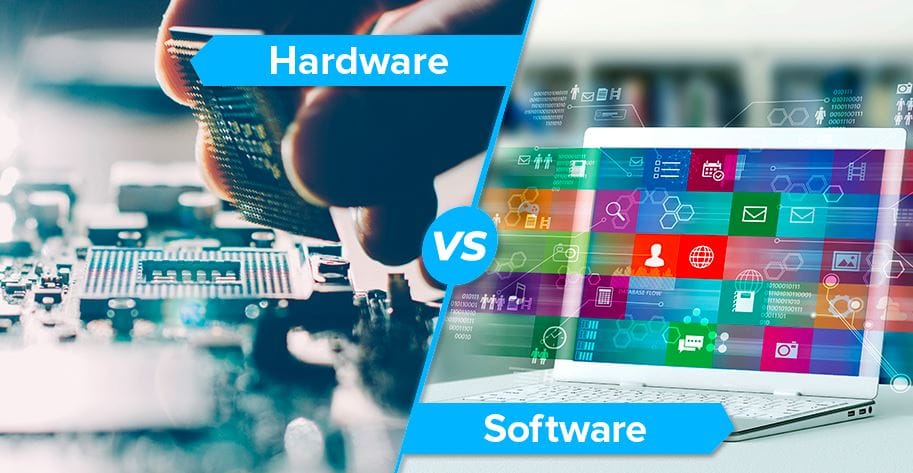
Hardware is a term that describes the actual components that make up a computer. We refer to any physically touchable component of the computer as its hardware. These are the basic electronic components used to construct the computer. The Central Processing Unit, the Monitor, the Printer, the Keyboard, and the Mouse are all examples of computers’ hardware. hardware and software are different. Other examples are processors and memory devices.

What is a Computer Storage Device? Defination, Types (Lession- 12)

STORAGE DEVICES

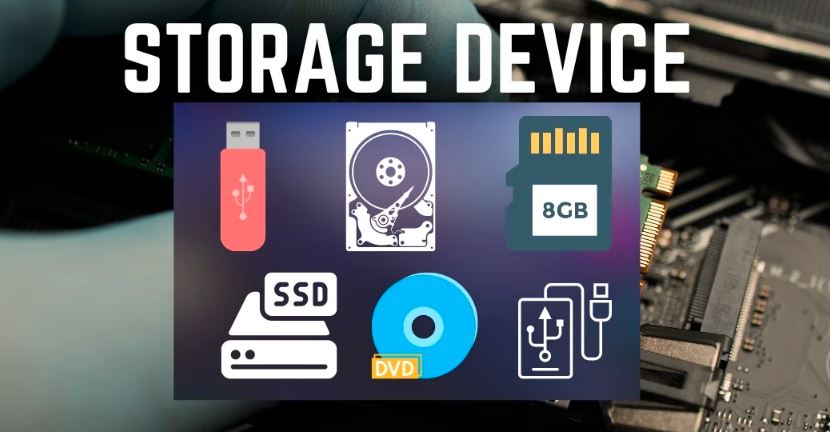
Defination Of Storage Device The storage unit is a part of the computer system that is employed to store the information and instructions to be processed. A storage device is an integral part of the computer hardware that stores information and data to process the results of any computational work. Without a storage device, a computer would not be able to run or even boot up. Or, in other words, we can say that a storage device is hardware that is used for storing, porting, or extracting data files. It can also store information and data both temporarily and permanently. Types of Computer Storage Devices 1. Primary Storage Devices : RAM (Random Access Memory) RAM Memory which stands for random access memory, is a sort of Computer Memory that is used for the purpose of temporarily storing data that the computer is now using or processing. RAM And ROM Memory, Random-access memory (RAM), being a type of volatile memory, loses its stored information upon power switching off. The computer commonly uses RAM And ROM Memory, (RAM) to store its operating system, application programs, and current data. ROM (Read-Only Memory) ROM Memory, often known as ROM, is a sort of computer memory that is used for the purpose of storing data in a permanent manner that does not need any modifications. A ROM is a kind of memory that is non-volatile, which means that the information that is stored in it is preserved even if electrical power is switched off. ROM is primarily used for the purpose of storing the basic input/output system (BIOS) of a computer. This RAM And ROM Memory system is responsible for storing the instructions necessary to start the computer, in addition to firmware related to other hardware components. 2. Magnetic Storage Devices : Floppy Disk : There is another name for a floppy disk, which is a floppy diskette. In most cases, it is used on a personal computer for the purpose of storing data elsewhere. A floppy disk is a kind of disk that is composed of a plastic cartridge and is protected by a protective cover. These days, floppy disks have been supplanted by more modern and efficient storage methods, such as USB and others. Hard Disk : A hard disk drive (HDD) is a kind of storage device that uses magnetic storage to store and retrieve data utilizing the hard disk. It is a storage device that does not contain any volatile data and may be altered or removed an unlimited number of times without causing any issues. HDDs are the secondary storage devices that are found in the majority of laptops and desktop computers. In reality, it is a collection of disks that are piled one on top of the other, exactly like phonograph records. On every hard disk, the data is stored electromagnetically in concentric circles, or, we can say, tracks, that are present on the hard disk. With the assistance of a head that is similar to a phonograph arm (but fixed in a certain position), the information that is present on the track may be read. Hard disk drives (HDDs) have a read-write speed that is not very quick but is satisfactory. It may be a few gigabytes, perhaps a few terabytes, or much more. Magnetic Card : This card stores data by altering or rearranging the magnetism of very small magnetic particles, based on iron, that are present on the card’s band. This card is also referred to as a swipe card. Some examples of its applications are a password (for entering a home or hotel room), a credit card, an identification card, and so forth.  3. Flash Memory Devices : It is a more portable and less expensive storage device. It is the device that stores data most frequently due to its superior dependability and efficiency compared to other storage devices. Here are some of the frequently used flash memory devices: 4. Optical Storage Devices : 5. Cloud and Virtual Storage: These days, virtual or cloud storage devices have taken the place of secondary memory. We are able to keep our files and other items in the cloud, and the data will remain in that location for as long as we continue to pay for cloud storage. Cloud services are offered by a multitude of organizations, the most prominent of which are Google, Amazon, Microsoft, and others. We are able to pay the rent for the quantity of space that we need, and we will get a variety of advantages as a result. The user does not engage with the physical device or its maintenance, despite the fact that it is really being kept on a physical device that is situated in the data centers of the service provider. One example of the sort of storage that Amazon Web Services provides is called Amazon Web Services S3. This type of storage allows customers to store data digitally rather than on physical hard drive devices. As far as storage mediums are concerned, these kinds of advances constitute the cutting edge of the field. Read also: What is Computer Hardware And Software? What Difference Between Computer Hardware And Software (Lession- 11) Narinder KumarHi, I’m Narinder Kumar, founder of BlogsBuz.com. I create articles and generate celebrity biographies, providing verified, up-to-date content. As an SEO expert and online tools creator, I also share practical tips on making money online, finance management, blogging, and passive income. My mission is to provide accurate information and keep you away from fake content, ensuring you stay well-informed and make smart decisions online. blogsbuz.com

Difference Between Printers and Scanner ? (Lession – 7)

difference between printers and scanner

Documents, photos, and other forms of visual material that are saved digitally on a computer or other electronic device may be printed. A printer is a peripheral equipment that generates tangible copies of these types of content. Additionally, it creates a physical representation of the digital material by transferring it onto paper or other media after receiving it from a computer and accepting it as electronic data.

What Types Of Printers and Their Uses ? (Lession- 6)

Types Of Printers

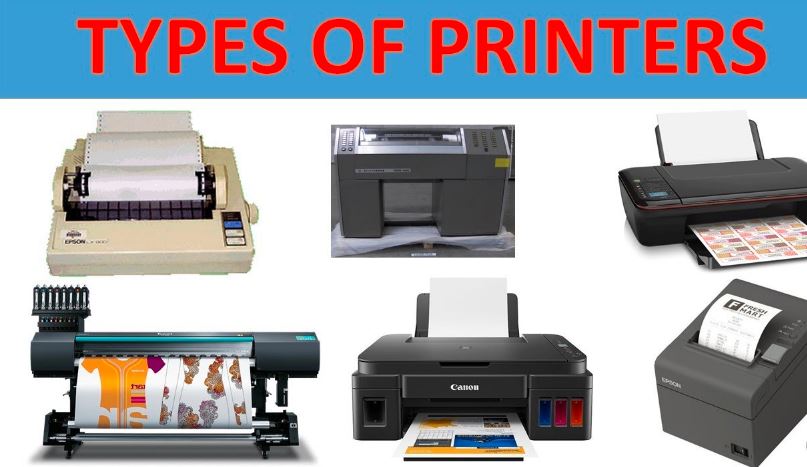
When it comes to output devices, Printers are yet another type that is often used. The information that is conveyed by the computer is transformed into a copy by the printer, which is often a hard copy or a Xerox copy. This copy includes the information. The fundamental purpose of the printer is to perform this function. A physical copy of the data that has been processed is produced by the printer, which is responsible for receiving electronic data from the computers and creating the data. Printers are classified into two groups: impact printers and non-impact printers. These two categories are used to define the categorization of printed materials. Laser Printer : For the purpose of transferring text and pictures onto paper, laser printers make use of light or a focused beam of light. On the inside of the laser printer is a cylindrical drum that is referred to as the photoreceptor. The printer shoots laser beams onto this drum. This process occurs when the paper passes through the printer. In order to print pictures and words on the photoreceptor, laser printing equipment is used. It is possible to get quick printing via the use of a laser printer in times of crisis. Photo Printer : Picture printing machines, in their simplest form, function as inkjet printers designed to print on exceptionally white photo sheets. Photo printers apply a coating to the photo papers they use. This coating stops the picture-printing ink from smearing off the paper. Picture printing equipment can print a wide range of sizes. While some equipment only prints wallet-sized photographs measuring 3×5″ or 4×6″, others serve various other purposes. Photo printers are versatile devices that can print not only photographs but also various other types of papers. There is a greater variety of tones and colors available with photo printing machines since they come with a greater number of color cartridge selections. Additionally, there are picture printing machines equipped with specialized inks, specifically designed to yield high-quality and clear photographs. It is also possible to link picture printing equipment to your Android and iOS smartphones in order to get quick printouts of your photographs. Color Printer : Color printers are distinct from monochrome printers in that they are able to print in many colors simultaneously. A significant number of these devices use the CMYK color model. The CMYK color paradigm uses four primary colors. These colors are cyan, black, yellow, and magenta. After printing all of these fundamental colors in close proximity to one another, the CMYK model then stimulates the majority of the other colors, with the exception of the bright yellow color. In addition, there are several low-rated and low-priced color printers that simply require the use of three fundamental colors: magenta, cyan, and yellow. Such machines cannot print the actual black color, and the hues tend to appear faded. The majority of the time, color printers are used in the production of periodicals, books, and other paper items. Color printers also have the capability to quickly print out the provided data. Inkjet Printer : Printers that employ inkjet technology are the ones that are most often available for use with computers. In order to print on paper, inkjet printers make use of a specifically designed sort of ink. This is why inkjet printers specialize in producing color prints of exceptional quality. In addition to that, they are able to provide immediate publication outputs. Individuals who only want printing services on a sporadic basis, as opposed to on a daily basis, are the ones who like these machines. There is a wide range of inkjet printing machines available, ranging from low-cost units designed for consumers to high-priced devices designed for professionals. Dot Matrix Printer : Impact matrix printing is another name for how dot matrix printers are referred to. The printing technique that is used by dot matrix printers involves the application of ink to the surface of the paper or pattern it is being printed on. When the pins in the Dot Matrix printer make contact with a ribbon that has been coated with ink, they compel the ribbon to make contact with the paper. This results in the formation of a little dot on the paper, and the final dot matrix picture is produced by combining the dots that originate from the individual dots. POS terminals, service organizations (related to couriers), cash registers, automated teller machines, and other similar applications also use dot matrix printers. Digital Printer : When using digital printers, the electronic file or picture that is based on digital technology is printed directly into the material. You can send the picture directly to the digital printer using a digital file format like TIFF, PDF, or any other supported format. The printing plates that are necessary for offset printers are not needed at all for digital printers. Digital printers do not require printing plates. Direct printing is possible with these devices on a variety of substrates, including photo paper, paper, cloth, canvas, cardstock, and any other material. When it comes to printing, digital printers are used for tasks that demand precise details and limited numbers. Stationary stores use digital printers to print business cards, letterheads, and other documents for commercial purposes. Ink Tank Printer : Printers that use ink tanks transfer the liquid ink from the ink tank to a separate printhead located within the printer. The printhead disperses this ink on the paper’s surface in droplets, forming the pictures or text. Ink tank printers can store a substantial amount of ink. Because of this, you will be able to refill the ink tank, which is a far more cost-effective option than replacing the whole cartridge of ink for the printer. Customers who want to print a certain number of pages each month but do not want to spend money on ink cartridges should consider purchasing an ink tank printer. This is the ideal option for them. Laserjet Printer : When compared to regular printers, label printers are distinguished … Read more

Output Devices Of Computer (Lession- 5)

Output Devices

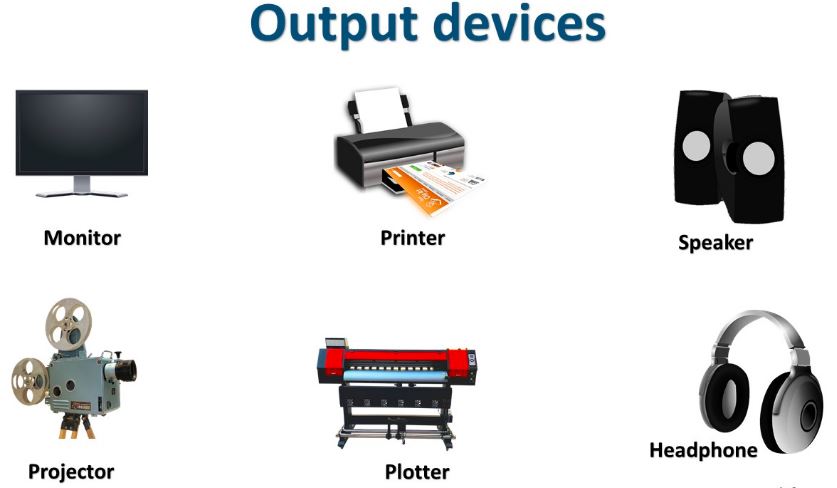
Output Of Computer, Our previous research covered both the definition and nature of an output device. Taking a look at the output devices of a computer is the next step in this process. It is common knowledge that computers make use of output devices in order to show findings or information in a variety of forms, such as text, graphics, sound, or printed copies. A computer uses its output devices to obtain information and results. Now, let’s examine the top ten output devices used for this purpose. Here are a few examples of output devices: