
What is a Computer Storage Device? Defination, Types (Lession- 12)
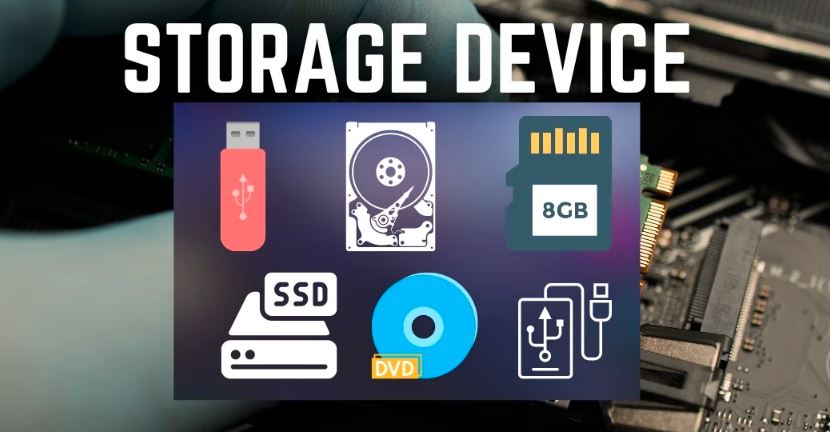
Defination Of Storage Device The storage unit is a part of the computer system that is employed to store the information and instructions to be processed. A storage device is an integral part of the computer hardware that stores information and data to process the results of any computational work. Without a storage device, a computer would not be able to run or even boot up. Or, in other words, we can say that a storage device is hardware that is used for storing, porting, or extracting data files. It can also store information and data both temporarily and permanently. Types of Computer Storage Devices 1. Primary Storage Devices : RAM (Random Access Memory) RAM Memory which stands for random access memory, is a sort of Computer Memory that is used for the purpose of temporarily storing data that the computer is now using or processing. RAM And ROM Memory, Random-access memory (RAM), being a type of volatile memory, loses its stored information upon power switching off. The computer commonly uses RAM And ROM Memory, (RAM) to store its operating system, application programs, and current data. ROM (Read-Only Memory) ROM Memory, often known as ROM, is a sort of computer memory that is used for the purpose of storing data in a permanent manner that does not need any modifications. A ROM is a kind of memory that is non-volatile, which means that the information that is stored in it is preserved even if electrical power is switched off. ROM is primarily used for the purpose of storing the basic input/output system (BIOS) of a computer. This RAM And ROM Memory system is responsible for storing the instructions necessary to start the computer, in addition to firmware related to other hardware components. 2. Magnetic Storage Devices : Floppy Disk : There is another name for a floppy disk, which is a floppy diskette. In most cases, it is used on a personal computer for the purpose of storing data elsewhere. A floppy disk is a kind of disk that is composed of a plastic cartridge and is protected by a protective cover. These days, floppy disks have been supplanted by more modern and efficient storage methods, such as USB and others. Hard Disk : A hard disk drive (HDD) is a kind of storage device that uses magnetic storage to store and retrieve data utilizing the hard disk. It is a storage device that does not contain any volatile data and may be altered or removed an unlimited number of times without causing any issues. HDDs are the secondary storage devices that are found in the majority of laptops and desktop computers. In reality, it is a collection of disks that are piled one on top of the other, exactly like phonograph records. On every hard disk, the data is stored electromagnetically in concentric circles, or, we can say, tracks, that are present on the hard disk. With the assistance of a head that is similar to a phonograph arm (but fixed in a certain position), the information that is present on the track may be read. Hard disk drives (HDDs) have a read-write speed that is not very quick but is satisfactory. It may be a few gigabytes, perhaps a few terabytes, or much more. Magnetic Card : This card stores data by altering or rearranging the magnetism of very small magnetic particles, based on iron, that are present on the card’s band. This card is also referred to as a swipe card. Some examples of its applications are a password (for entering a home or hotel room), a credit card, an identification card, and so forth. 3. Flash Memory Devices : It is a more portable and less expensive storage device. It is the device that stores data most frequently due to its superior dependability and efficiency compared to other storage devices. Here are some of the frequently used flash memory devices: 4. Optical Storage Devices : 5. Cloud and Virtual Storage: These days, virtual or cloud storage devices have taken the place of secondary memory. We are able to keep our files and other items in the cloud, and the data will remain in that location for as long as we continue to pay for cloud storage. Cloud services are offered by a multitude of organizations, the most prominent of which are Google, Amazon, Microsoft, and others. We are able to pay the rent for the quantity of space that we need, and we will get a variety of advantages as a result. The user does not engage with the physical device or its maintenance, despite the fact that it is really being kept on a physical device that is situated in the data centers of the service provider. One example of the sort of storage that Amazon Web Services provides is called Amazon Web Services S3. This type of storage allows customers to store data digitally rather than on physical hard drive devices. As far as storage mediums are concerned, these kinds of advances constitute the cutting edge of the field. Read also: What is Computer Hardware And Software? What Difference Between Computer Hardware And Software (Lession- 11) Narinder KumarHi, I’m Narinder Kumar, founder of BlogsBuz.com. I create articles and generate celebrity biographies, providing verified, up-to-date content. As an SEO expert and online tools creator, I also share practical tips on making money online, finance management, blogging, and passive income. My mission is to provide accurate information and keep you away from fake content, ensuring you stay well-informed and make smart decisions online. blogsbuz.com